Your bank balance isn't your money.

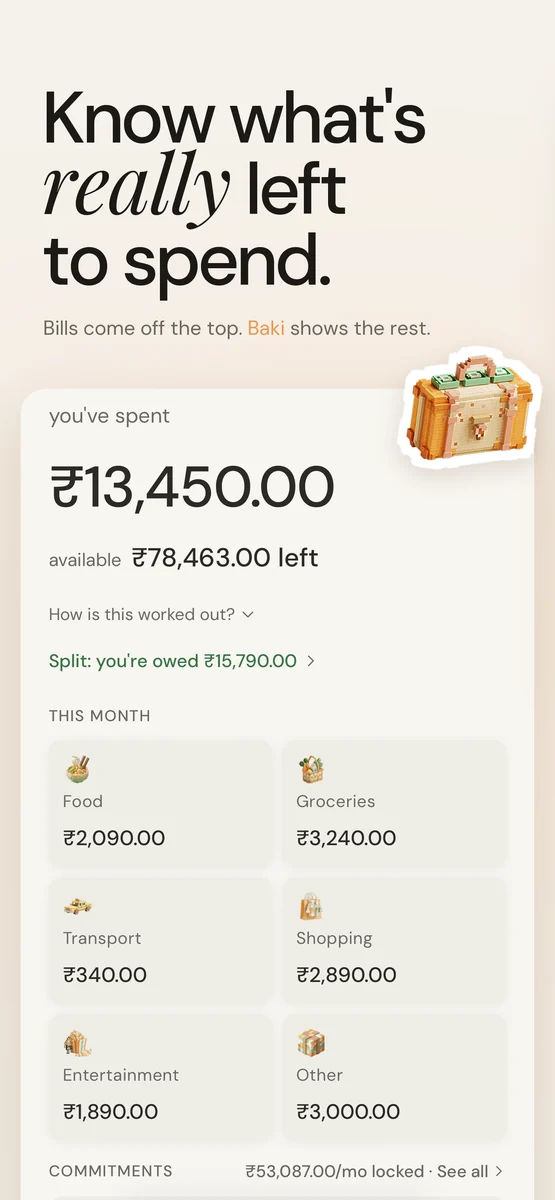
Rent, SIPs and subscriptions are already spoken for. Baki takes them off the top and shows what's actually left to spend.

Download on the App Store Free on iPhone. No bank login.

Payday feels rich. Most of it is already gone.

Here's a real month. Your bank shows the first line. Baki shows the last one, and keeps it updated every time you spend.

OctoberBaki
Salary₹1,45,000
Rent− ₹32,000
Mutual fund SIP− ₹15,000
Gym− ₹2,500
Bills & subscriptions− ₹3,587
Spent so far− ₹13,450
Actually left₹78,463

This is the number on Baki's home screen.

Your budget, your splits and your trips. One app.

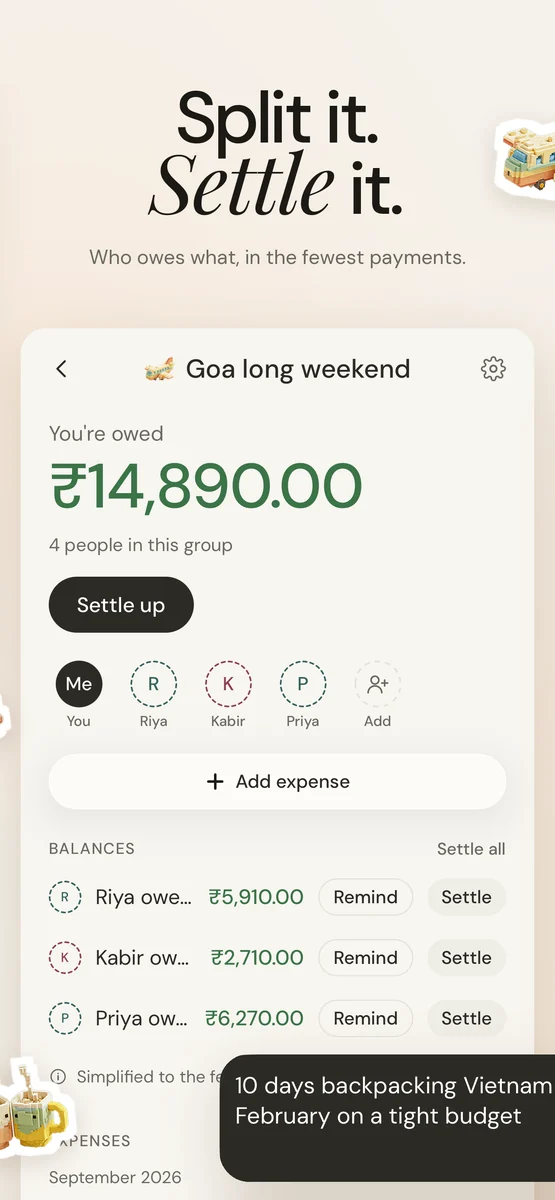
Split with friends

Groups or one-on-one, five ways to split, settled in the fewest payments. Your share counts in your month automatically.
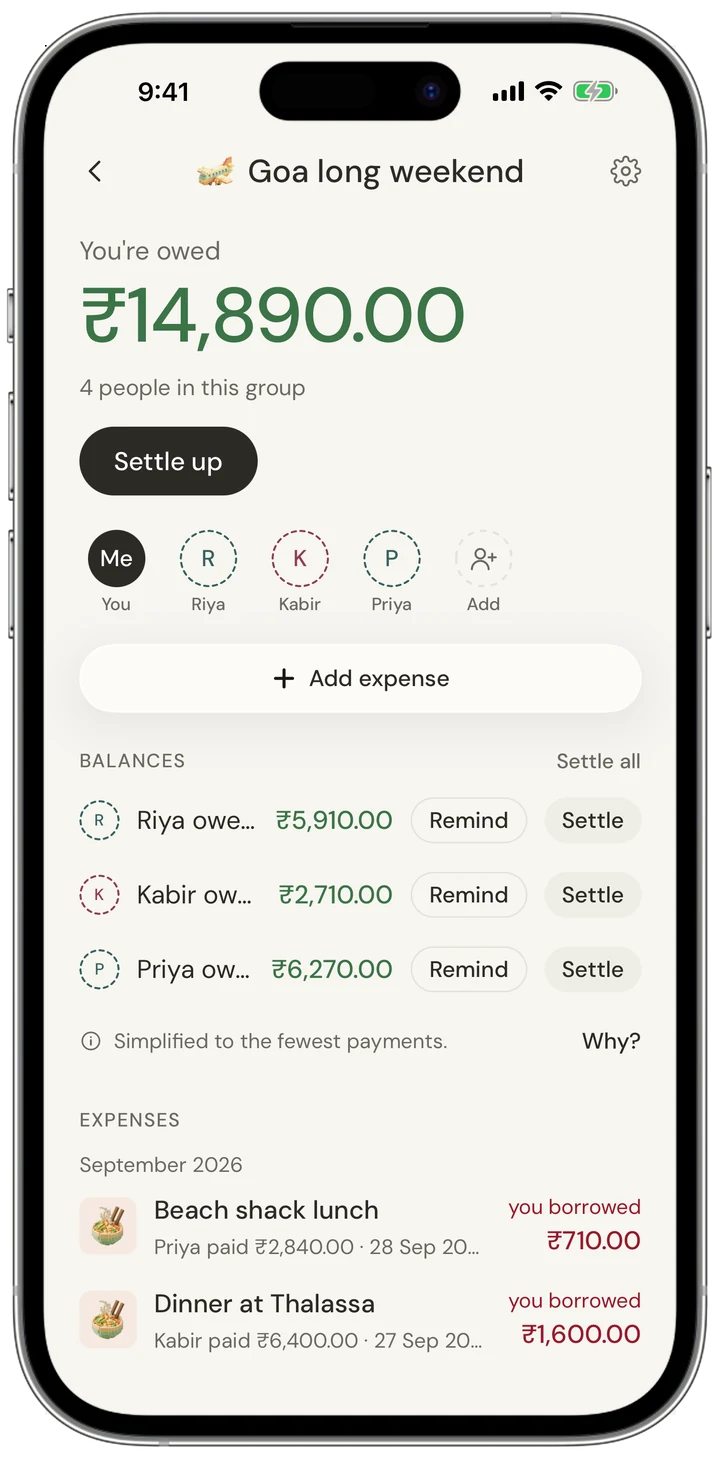
A split group with balances

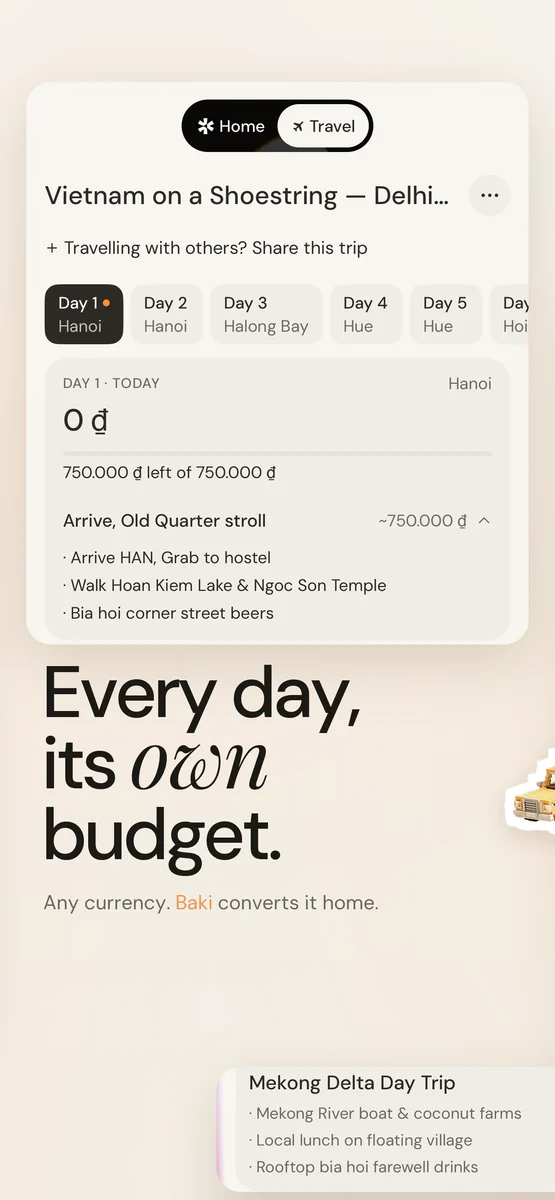
Travel in any currency

A budget for each day of the trip, logged in local money and converted home. Trips stay out of your monthly numbers.
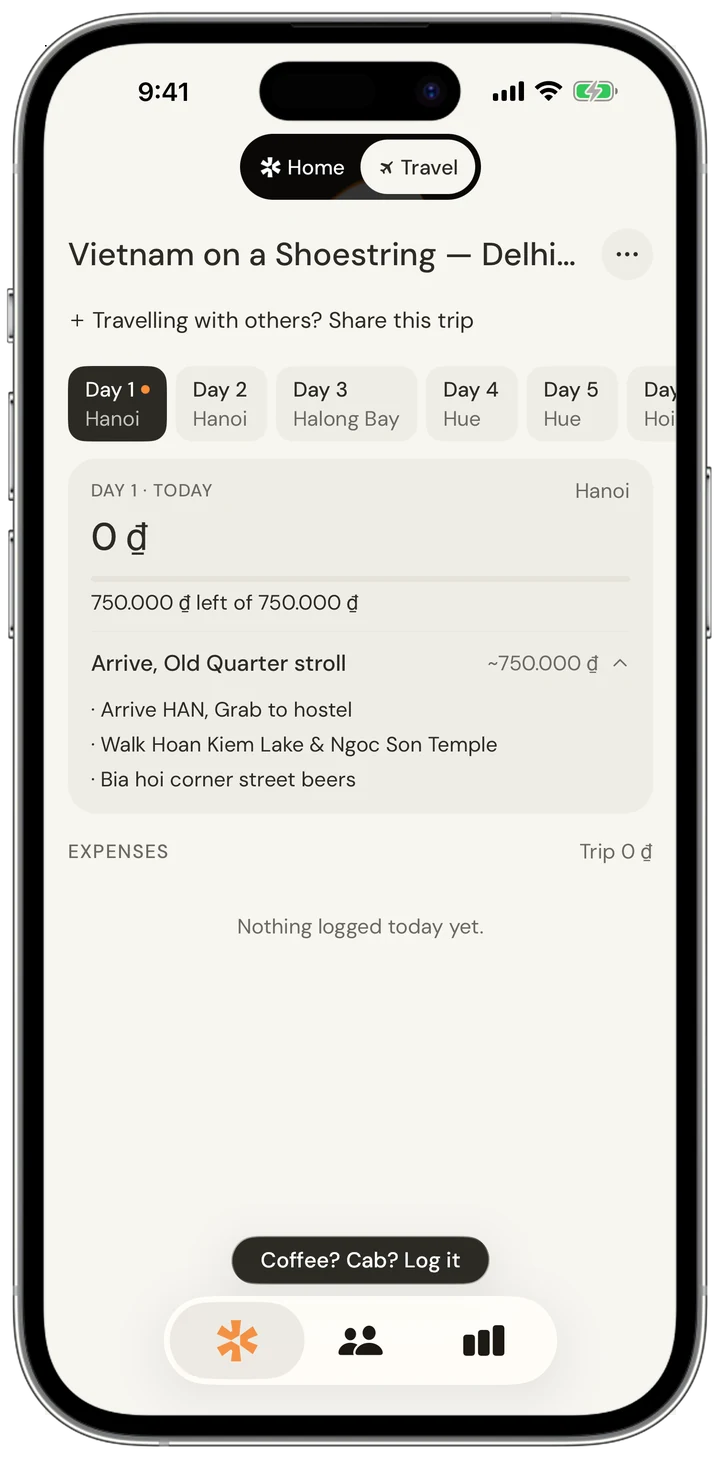
Travel mode, one day's budget

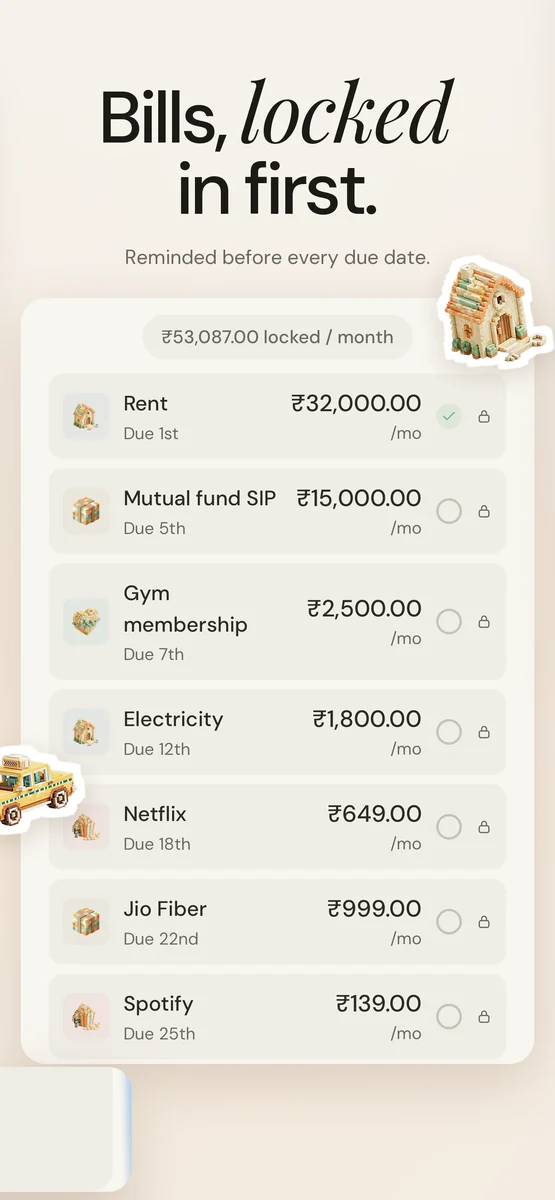
Bills you can't forget

Add rent, EMIs and subscriptions once. Baki reminds you before each one is due.
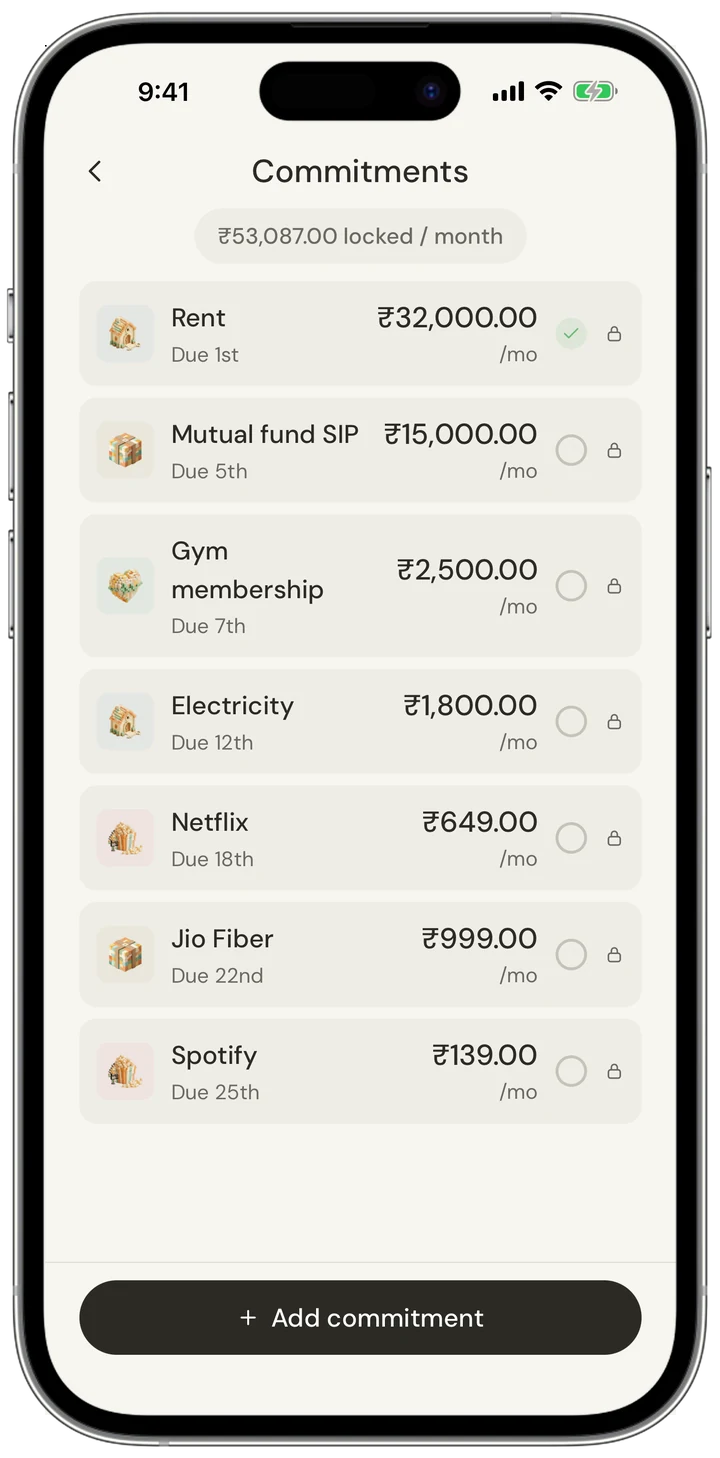
List of monthly commitments

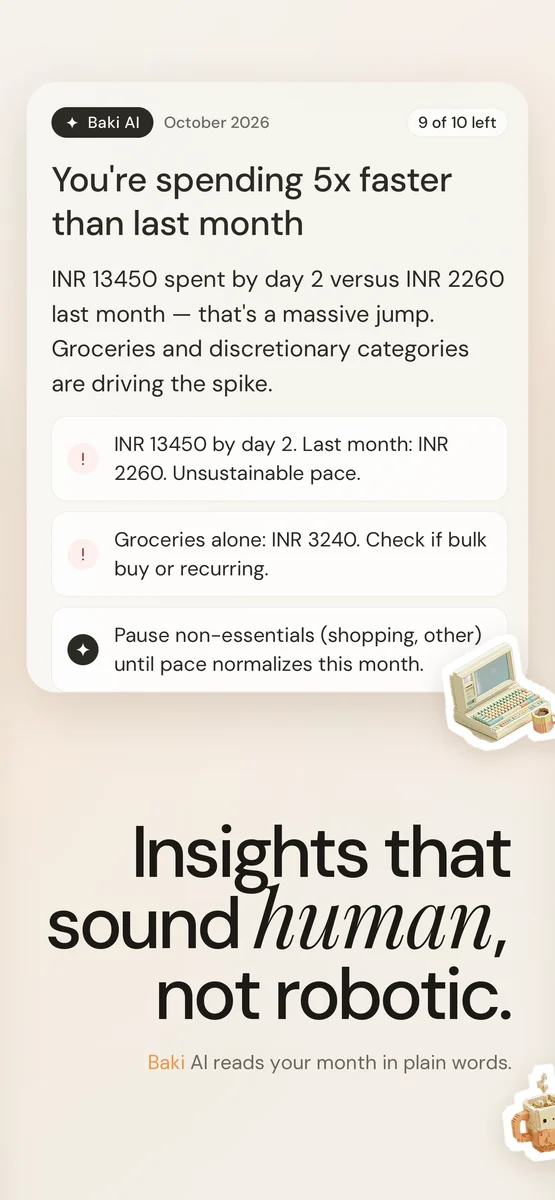
A month in plain words

Baki AI tells you what changed and one thing worth doing about it.
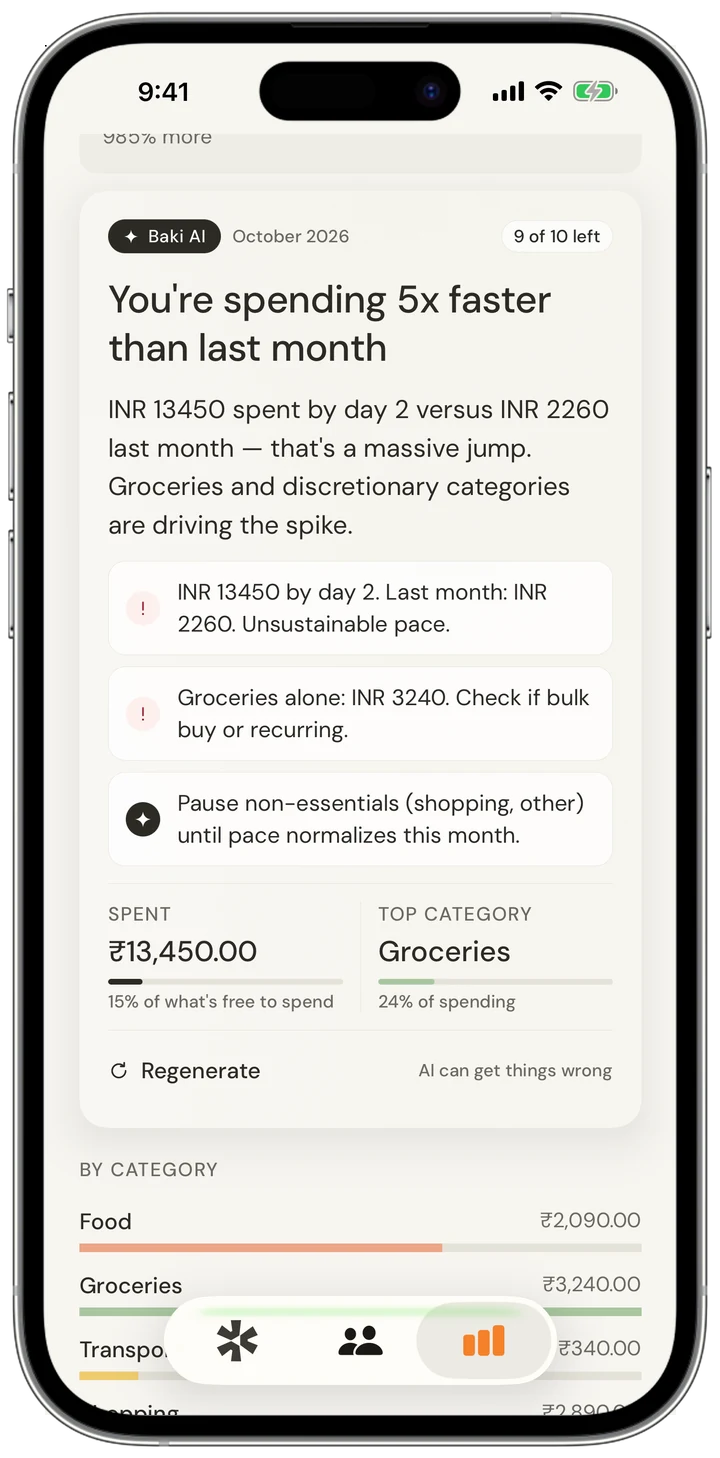
AI summary of the month

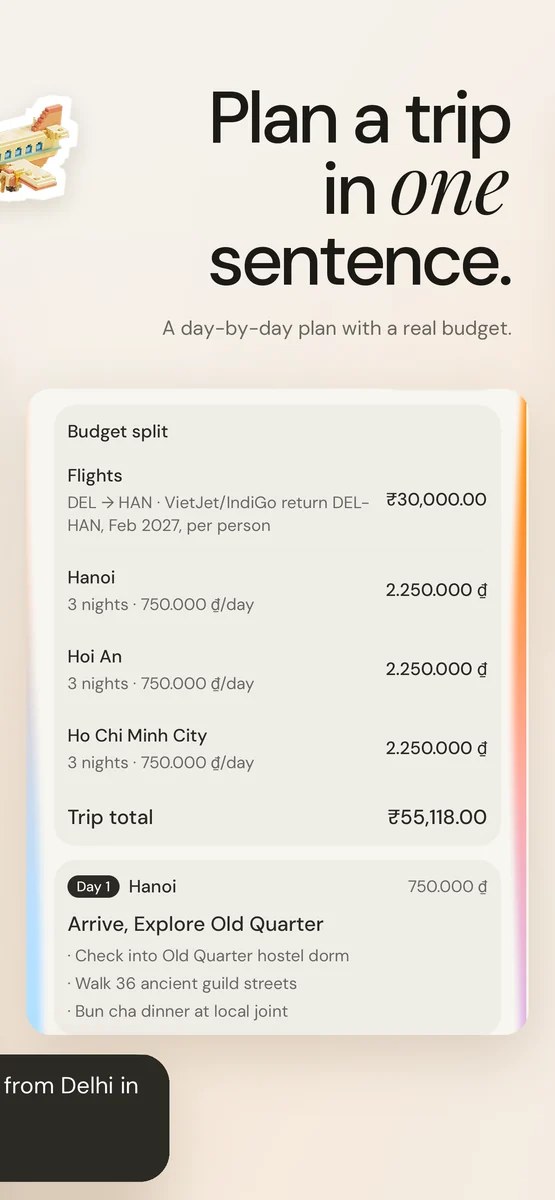
Plan a trip, with a price

Describe the trip. Get a day-by-day plan and what it will actually cost.
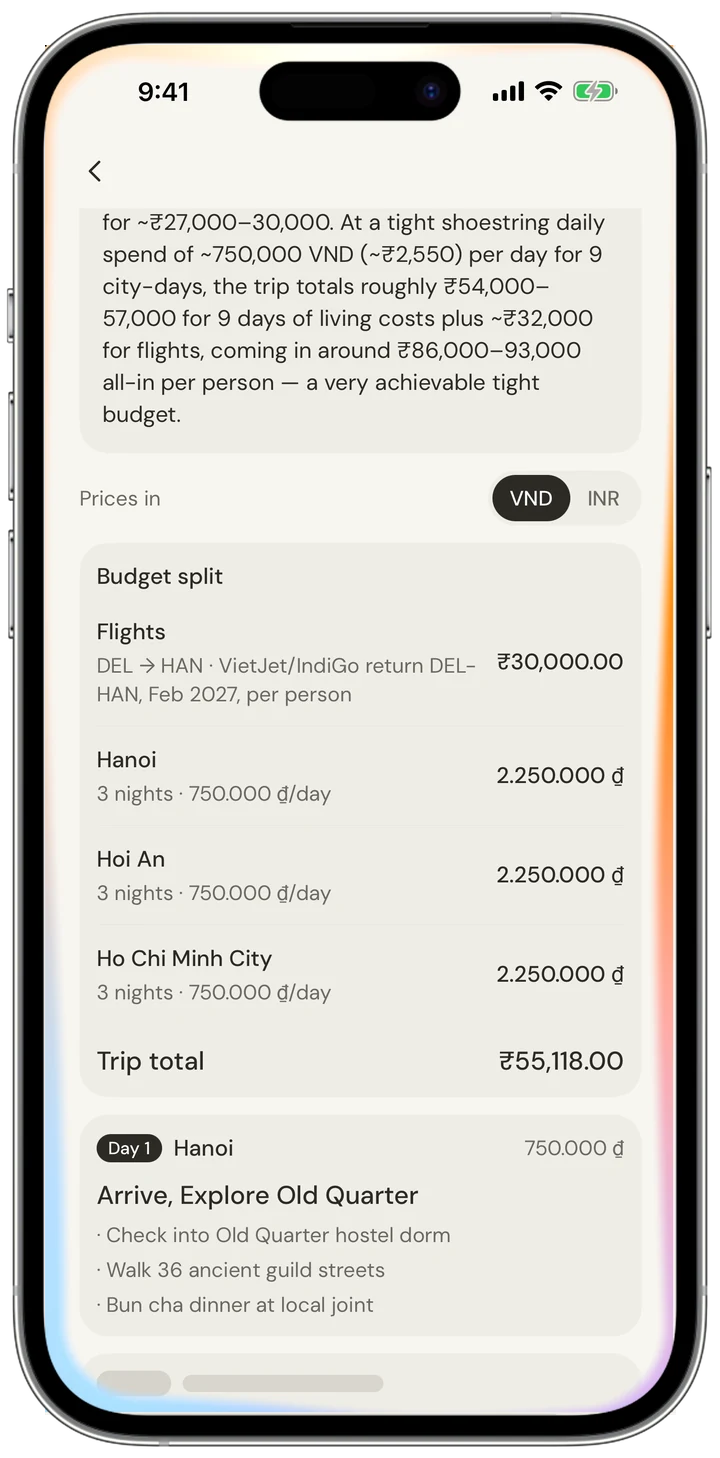
AI trip plan with a budget split

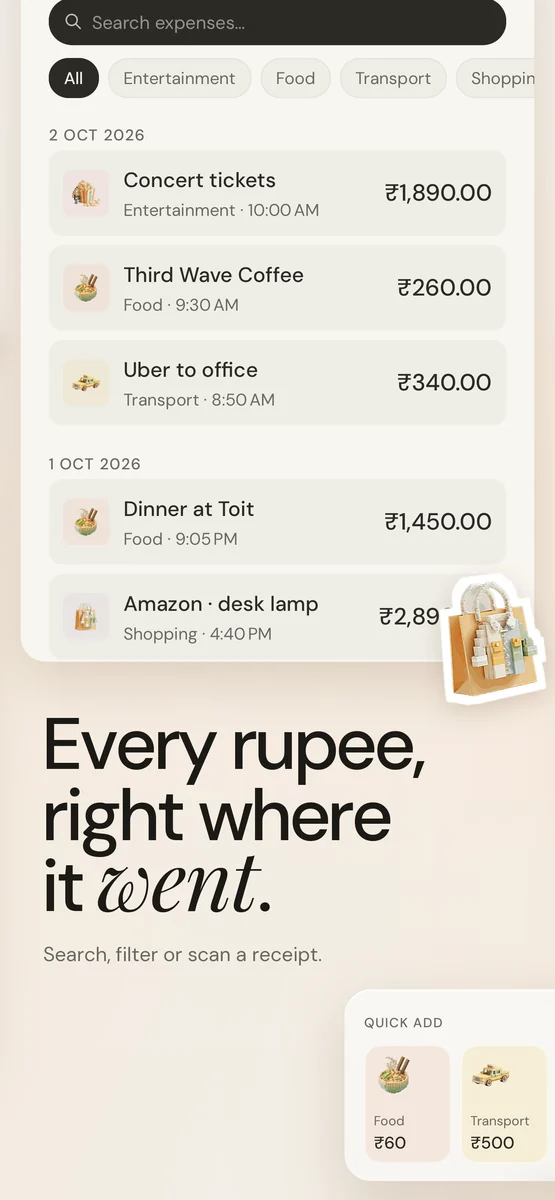
Scan a receipt

Point the camera at a bill. The total, shop and category fill themselves in.
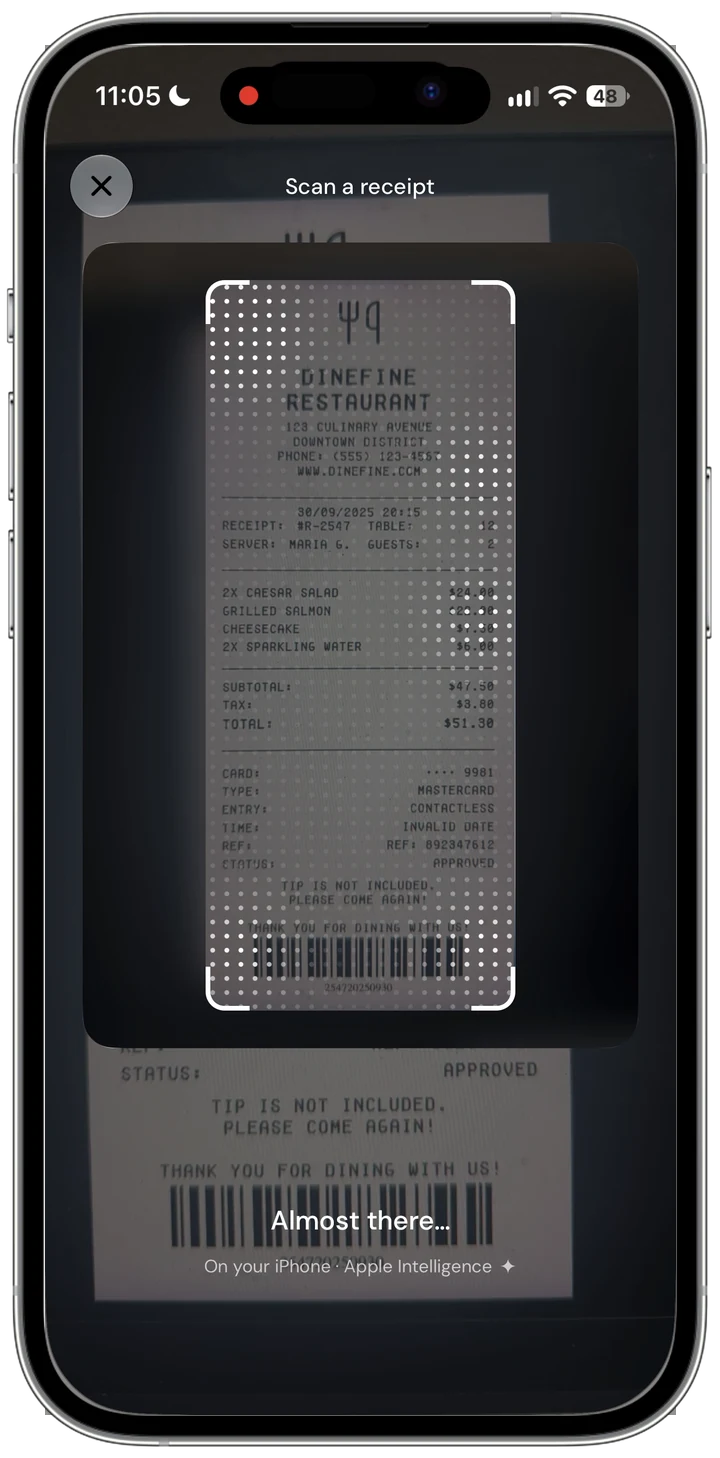
Receipt scanner

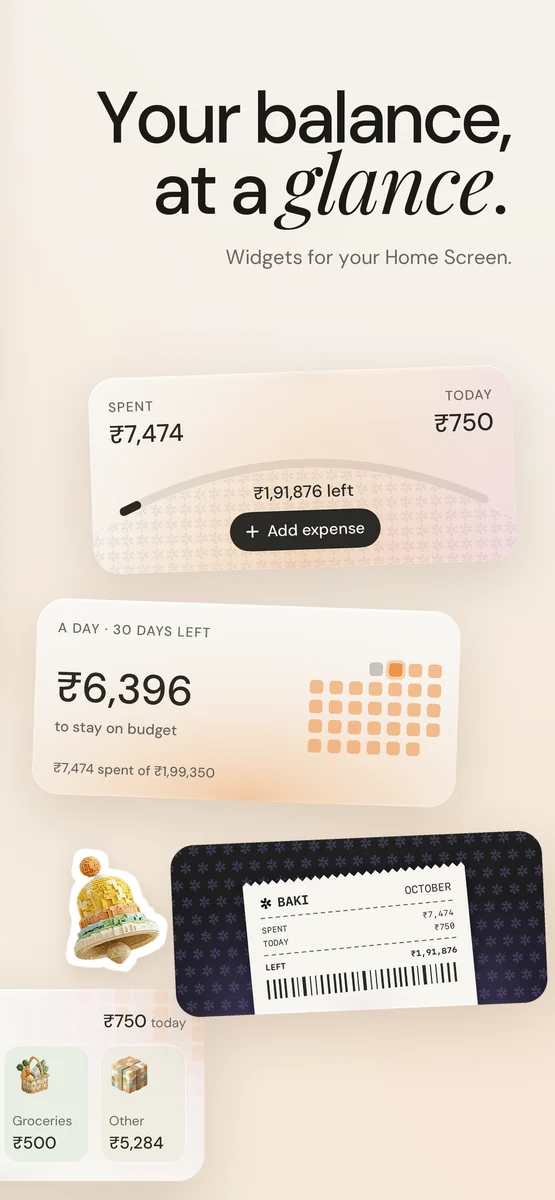
On your Home Screen

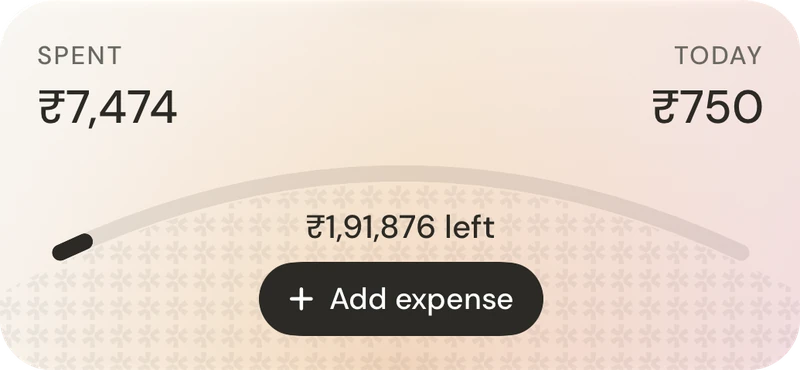
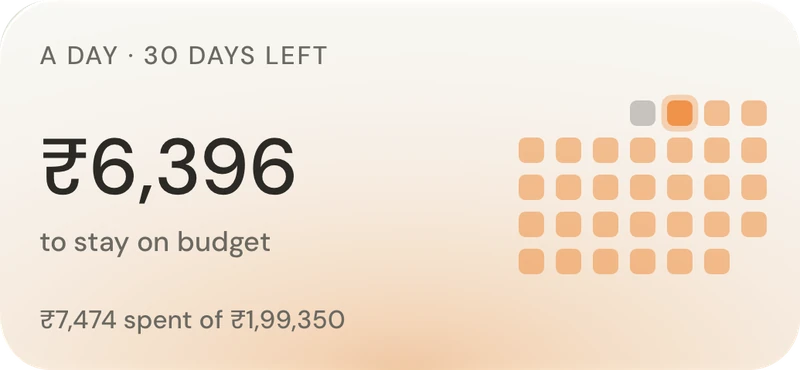
See what's left without opening the app, or log a coffee straight from the widget.
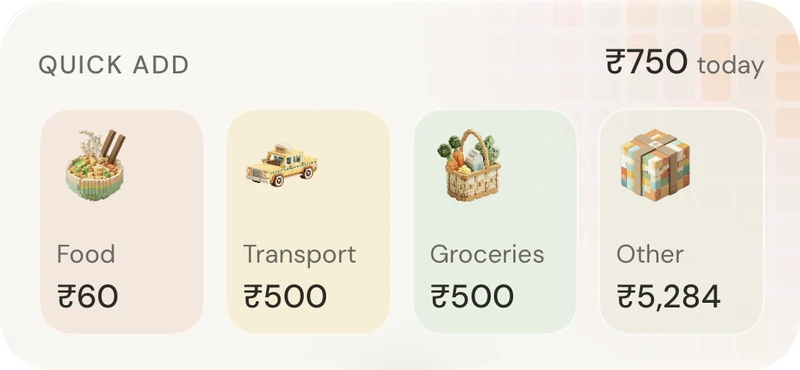
Quick add widget Budget widget Per day widget

Every screen.

Drag to look through the app.
Know what's really left to spendInsights that sound human, not roboticSplit it. Settle it.Plan a trip in one sentenceEvery day, its own budgetBills, locked in firstEvery rupee, right where it wentYour balance, at a glance
baki.

In Hindi, baki means what's remaining. It's the one number the app is built around.

Made in India by Bestine Payyappilly.

Simple pricing.

Start free. Upgrade when you want the full picture.

Free

₹0/month

Everything you need to know what's actually left each month.

Download free
What you get
  • Real available balance
  • Lock commitments
  • Up to 100 expenses/month
  • Travel mode
  • Split expenses
  • AI Travel Planner preview

Baki Pro

₹199/month · $9 outside India

For the full picture: unlimited history, AI and exports.

Get Pro
What you get
  • Everything in Free
  • Unlimited expense logging
  • 5 years of spending history
  • AI spending analysis
  • Full AI Travel Planner
  • CSV & PDF exports
  • No ads. Ever.

Common questions,
quick answers.

What is Baki?
Baki is a commitment-first budgeting app. It shows your real available balance — your salary minus every locked commitment (rent, EMIs, subscriptions) minus what you've already spent this month. Not your bank balance. Your actual spending money.
What is a commitment?
A commitment is a recurring expense you've already promised to pay — rent, loan EMIs, streaming subscriptions, gym fees, insurance. Baki locks these away from your balance the moment your month starts so you never accidentally spend money that's already spoken for.
How does the available balance work?
Available balance = Salary − Locked Commitments − Spent This Month. This is the only number that matters. It's always front and centre on your dashboard.
How does the AI Travel Planner work?
Describe your trip in plain language — "a week in Japan, mid-range budget" — and Claude AI generates a full day-by-day itinerary with destinations, daily budgets per city, and travel tips. Pro users can confirm the itinerary and Baki automatically creates the trip with all destinations set up. Free users get a Day 1 preview.
Is my data private?
Yes. All your financial data is stored securely in your personal account using row-level security — only you can access your data. We never sell or share it. See our Privacy Policy for full details.
What is Baki Pro?
Pro unlocks unlimited expense logging, 5 years of spending history, AI spending analysis (a smart monthly summary), and the full AI Travel Planner with auto trip setup. Free users can log up to 100 expenses per month and preview Day 1 of any AI itinerary.
How do I cancel my Pro subscription?
Open Settings on your iPhone → tap your name → Subscriptions → Baki Pro → Cancel Subscription. Your Pro access continues until the end of the current billing period.
How do I restore a purchase on a new device?
Open Baki → Settings → Subscription → tap "Restore Purchases". Make sure you're signed in with the same Apple ID you used originally.
How do I delete my account?
Open Baki → Settings → scroll to the bottom → Delete Account. This permanently removes all your data from our servers and cannot be undone.
Something isn't working. What do I do?
Try closing and reopening the app first. If the issue persists, contact us with a brief description of what happened, your device model, and iOS version.

Get in touch.

Have a question, found a bug, or want to share feedback?
We read every message and typically reply within 24 hours.

Email us

Privacy Policy

What we collect

Your name and email (from Google Sign-In or Sign in with Apple), your financial data (salary, expenses, commitments), and basic app usage. We do not collect advertising identifiers or sell your data to third parties.

How we use it

To provide the app, sync your data across devices, and send commitment reminders if you opt in. We never use your financial data for advertising.

Where it's stored

All data is stored on Supabase with row-level security — only you can access your rows. Subscriptions are managed by RevenueCat. Payments are processed by Apple.

Data deletion

You can delete your account and all associated data at any time from Settings → Delete Account. Deletion is immediate and permanent.

Subscriptions

Baki Pro is an auto-renewable subscription managed by Apple. Your subscription automatically renews unless cancelled at least 24 hours before the end of the current period. You can manage or cancel in your Apple ID settings.

Terms of Use

By using Baki, you agree to Apple's standard Terms of Use (EULA).

Contact

For privacy questions email bestine.payyappilly@gmail.com.

Last updated: May 2026

Find out what's actually left this month.

Download on the App Store